> ## Documentation Index
> Fetch the complete documentation index at: https://docs-dev-docs-add-auth0-cli-management-api-examples.mintlify.site/llms.txt
> Use this file to discover all available pages before exploring further.

> Learn how to configure your JWT Connection to sign, verify or decode JSON Web Tokens.

# JWT Vault Connection

## Configure your JWT Vault connection

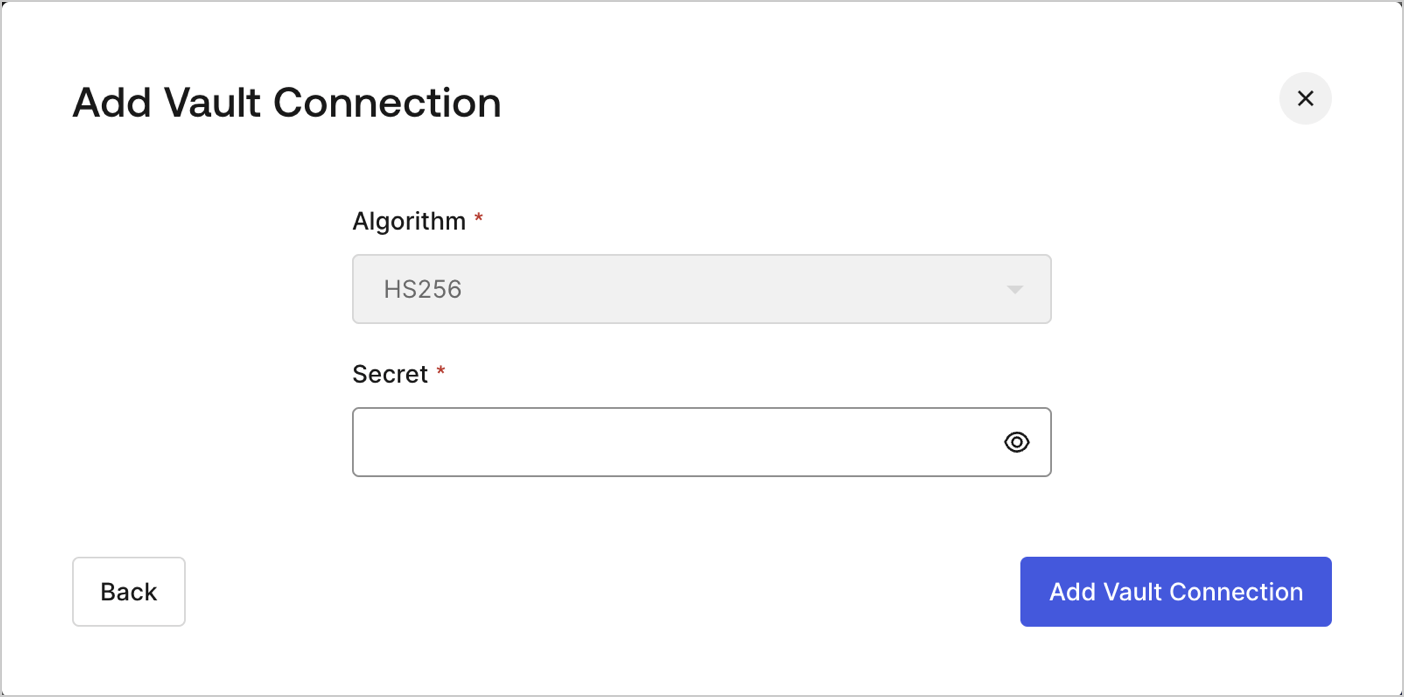
To configure an JWT Vault Connection for your Flows JWT Actions to sign, decode, and verify JSON Web Tokens, you need to set the required parameters.
<Frame>
  <img src="https://mintcdn.com/docs-dev-docs-add-auth0-cli-management-api-examples/QsfdoL0ZWmASRA0n/docs/images/customize/forms/vaults/jwt-vault-connection.png?fit=max&auto=format&n=QsfdoL0ZWmASRA0n&q=85&s=e61215499d0d04bf095fac97d1198794" alt="Dashboard > Actions > Forms > Vault > JWT" data-og-width="1404" width="1404" data-og-height="697" height="697" data-path="docs/images/customize/forms/vaults/jwt-vault-connection.png" data-optimize="true" data-opv="3" srcset="https://mintcdn.com/docs-dev-docs-add-auth0-cli-management-api-examples/QsfdoL0ZWmASRA0n/docs/images/customize/forms/vaults/jwt-vault-connection.png?w=280&fit=max&auto=format&n=QsfdoL0ZWmASRA0n&q=85&s=6418c3b07cb37f56046e646cce35d520 280w, https://mintcdn.com/docs-dev-docs-add-auth0-cli-management-api-examples/QsfdoL0ZWmASRA0n/docs/images/customize/forms/vaults/jwt-vault-connection.png?w=560&fit=max&auto=format&n=QsfdoL0ZWmASRA0n&q=85&s=d35ff3270d39f7b6a8cbabcc824f04f0 560w, https://mintcdn.com/docs-dev-docs-add-auth0-cli-management-api-examples/QsfdoL0ZWmASRA0n/docs/images/customize/forms/vaults/jwt-vault-connection.png?w=840&fit=max&auto=format&n=QsfdoL0ZWmASRA0n&q=85&s=0cfcc237bc839575e5e0d5ea0e6fd929 840w, https://mintcdn.com/docs-dev-docs-add-auth0-cli-management-api-examples/QsfdoL0ZWmASRA0n/docs/images/customize/forms/vaults/jwt-vault-connection.png?w=1100&fit=max&auto=format&n=QsfdoL0ZWmASRA0n&q=85&s=b1a806095667aecd01dd34ed1ff17129 1100w, https://mintcdn.com/docs-dev-docs-add-auth0-cli-management-api-examples/QsfdoL0ZWmASRA0n/docs/images/customize/forms/vaults/jwt-vault-connection.png?w=1650&fit=max&auto=format&n=QsfdoL0ZWmASRA0n&q=85&s=6de84f6e36806352a04632281d9a9842 1650w, https://mintcdn.com/docs-dev-docs-add-auth0-cli-management-api-examples/QsfdoL0ZWmASRA0n/docs/images/customize/forms/vaults/jwt-vault-connection.png?w=2500&fit=max&auto=format&n=QsfdoL0ZWmASRA0n&q=85&s=d5a06ed7ec1dc011fb482f44b5cf6bd5 2500w" />
</Frame>

## Input settings

| Parameter | Description                                                 |
| --------- | ----------------------------------------------------------- |
| Secret    | Secret to be used in the HS256 algorithm to encode the JWT. |
